
Alldj iPod Video Converter is an application developed to help you convert different formats like AVI, RMVB, MOV, WMV to iPod compatible video, and to extract audio from video clips to iPod MP3 files.
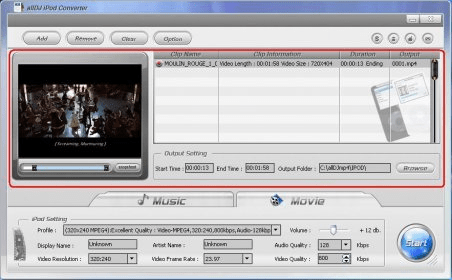
You can trim video by selecting start and end points to encode only a segment, and configure output settings like video resolution, frame rate, video and audio quality or choose between preset profiles for your specific iPod device according to the quality and file size you prefer.
Supported source formats: AVI, RM/RMVB, MPEG1/2, MOV, MP4, 3GP/3G2, WMV/ASF, DivX, XviD, FLV. Supported Output formats: AVC, MP4, MP3.
The program has a nice and easy to use interface with a small preview screen to help you with the triming part. It allows you to perform batch conversions, and to take snapshots of movie scenes, it has no editing features (like the possibility to add effects, or change color scheme), but it works, is fast and intuitive. If you want to test this software, a free limited trial, which only allows you to convert up to 5 minutes video clips, is available for download.
Operating Systems:
Windows 98,NT,2000,XP,Vista.





Comments